
Players who have one of the ranks can use the following commands:
| Command | Explanation |
|---|---|
| [/resident friend WERT] | Players can add each other as friends. |
| [/t here] | Displays information on the current city. |
| [/t list (by WERT)] | Displays a complete list of cities. |
| [/t buytown NAME] | Player can buy a city. |
| [/t reslist (VALUE)] | Displays a list of the city's inhabitants. |
| [/t reclaim] | reclaim the city. |
| [/t join NAME] | join the city. |
| [/t invite accept] | Accept invitation. |
| [/t invite deny] | Decline invitation. |
| Command | Explanation |
|---|---|
| [/t reslist] | Displays a list of residents. |
| [/t outlawlist] | Displays the list of ostracised persons. |
| [/t plots] | Displays the player's property list. |
| [/t leave] | Player can leave the city. |
| [/t outpost list] | Displays a list of the city's outposts. |
| [/t plotgrouplist (NAME)] | Displays the list of property groups. |
| [/t online] | Shows who is online in the city. |
| [/towny prices] | Displays price information. |
| Command | Explanation |
|---|---|
| [/resident toggle pvp VALUE] | Switch PvP settings for your own area. |
| [/resident toggle explosion VALUE] | Switch explosions in your own area. |
| [/resident toggle fire VALUE] | Switch fire in own area. |
| [/resident toggle mobs VALUE] | Switch mobs in your own area. |
| [/resident toggle townclaim VALUE] | Switch urban area extension. |
| [/resident toggle plotborder VALUE] | Switch to Show property boundaries. |
| [/resident toggle constantplotborder VALUE] | Toggle continuous display of the property boundaries. |
| [/resident toggle ignoreplots VALUE] | Switch to ignore properties. |
| [/resident toggle map VALUE] | Switch map display. |
| [/t fs VALUE] | Marks the city as for sale. |
| [/t nfs] | Marks the city as not for sale. |
| [/t merge NAME] | Carry out municipal mergers. |
| [/t purge VALUE] | Clean up the city. |
| [/t set board VALUE] | Set a city notice board. |
| [/t set mayor NAME] | Mayor of the city. |
| [/t set homeblock] | home block of the city. |
| [/t set spawn] | Set the spawn point of the city. |
| [/t set mapcolour VALUE] | Set the colour of the city on the map. |
| [/t set name NAME] | Define the name of the city. |
| [/t set tag VALUE] | City Day. |
| [/t say TEXT] | Send message in the city. |
| [/t merge VALUE] | Bringing cities together |
| [/t toggle pvp VALUE] | Switch PvP in the city. |
| [/t toggle fire VALUE] | City as public or private. |
| [/t toggle explosion VALUE] | Switch to explosions in the city. |
| [/t toggle fire VALUE] | Switch fire in the city. |
| [/t toggle neutral VALUE] | Set the city as neutral. |
| [/t toggle mobs VALUE] | Switch mobs in the city. |
| [/t toggle taxpercent VALUE] | Switch the tax percentage for the city. |
| [/t toggle open VALUE] | Open or close the city to new residents. |
| [/t toggle nationzone VALUE] | Switch nation zone for the city. |
| [/t trust] | Players can gain confidence in the city. |
| [/t trusttown] | Other cities can gain confidence. |
| [/t mayor] | Mayor functions. |
| [/nation create NAME] | Allows you to found a new nation. |
| [/nation leave] | Player can leave the nation. |
| [/nation join] | nation. |
| [/nation invite VALUE] | Accept the nation's invitation. |
| [/nation invite VALUE] | Reject the nation's invitation. |
The head of the city also has the rights of the other ranks.
| Command | Explanation |
|---|---|
| [/t set perm VALUE] | Sets the player's authorisations. |
| [/t rank VALUE] | Access to all city ranking functions. |
| [/t set perm VALUE] | Define the city's authorisations. |
| [/t set title VALUE] | Define title for the city. |
| [/t set surname VALUE] | Set surname for the city. |
| Command | Explanation |
|---|---|
| [/plot claim] | Player can claim land. |
| [/plot unclaim] | Player can release plots of land. |
| [/plot nfs] | Property is marked as not for sale. |
| [/plot fs] | Property is marked as for sale. |
| [/plot district add NAME] | Adds a plot of land to the district. |
| [/plot district remove NAME] | Removes a property from the district. |
| [/plot district delete NAME] | Deletes an entire district. |
| [/plot district rename NAME] | Renames a district. |
| [/plot evict] | Player is evicted from a property. |
| [/plot jailcell VALUE] | Marks a property as a cell. |
| [/plot perm VALUE] | Player can view or change authorisations for properties. |
| [/plot toggle pvp] | Switch PvP for a plot of land. |
| [/plot toggle explosion] | Switch explosions for a property. |
| [/plot toggle fire] | Switch fire for a property. |
| [/plot toggle mobs] | Switch mob spawning for a plot. |
| [/plot trust VALUE] | Players can grant other players trust for a plot of land. |
| [/plot set perm VALUE] | Set authorisations for the property. |
| [/plot set reset] | Resets the property. |
| [/plot set shop] | Sets the property as a shop property. |
| [/plot set embassy] | Sets the property as a message. |
| [/plot set arena] | Sets the plot as an arena. |
| [/plot set inn] | Sets the property as an inn. |
| [/plot set jail] | Sets the property as a prison. |
| [/plot clear] | Clears all blocks on the property. |
| [/plot group add] | Adds a property to a group. |
| [/plot group remove] | Removes a property from a group. |
| [/plot group delete] | Deletes a property group. |
| [/plot group rename] | Renames a property group. |
| [/plot group set VALUE] | Sets a property group setting. |
| [/plot group toggle] | Switching settings for a property group. |
| [/plot group fs] | Marks a group of properties as for sale. |
| [/plot group nfs] | Marks a group of properties as not for sale. |
| [/plot group trust] | Trust authorisations for a property group. |
| [/plot group set perm VALUE] | Set or view authorisations for a property group. |
| [/t set plotprice VALUE] | Set property price. |
| [/t set shopprice VALUE] | Set price for shops. |
| [/t set embassyprice VALUE] | Set price for messages. |
| Command | Explanation |
|---|---|
| [/resident tax NAME] | Displays the taxes for the player. |
| [/t set taxes VALUE] | Set municipal taxes. |
| [/t set plottax VALUE] | Determine property tax. |
| [/t set shoptax VALUE] | Set shop tax. |
| [/t set embassytax VALUE] | Set embassy tax. |
| [/t set taxpercentcap] | Set upper tax limit as a percentage. |
| Command | Explanation |
|---|---|
| [/t withdraw VALUE] | Player can withdraw money from the city treasury. |
| [/t deposit VALUE] | Players can pay money into the city treasury. |
| [/t bankhistory] | Displays the history of the city treasury. |
| Command | Explanation |
|---|---|
| [/t set outpost] | Set outposts. |
| [/t claim VALUE] | urban area. |
| [/t claim VALUE] | Claim outpost. |
| [/t claim VALUE] | fill in the city area. |
| [/t claim VALUE] | Claim several urban areas. |
| [/t unclaim] | urban area. |
| [/t unclaim all] | Release all urban areas. |
| Command | Explanation |
|---|---|
| [/t outlaw VALUE] | Mark players in the city as outlaws. |
| [/t add NAME] | Add players to the city. |
| [/t kick NAME] | Remove players from the city. |
| [/t invite VALUE] | Access to all invitation functions. |
| [/t invite VALUE] | Access to all invitation management options. |
| [/t invite VALUE] | Invite players to the city. |
| [/t invite VALUE] | Invite several players to the city. |
| [/t invite VALUE] | Show sent invitations. |
| [/t invite VALUE] | Show received invitations. |
| [/t invite VALUE] | Player can manage invitations. |
| Command | Explanation |
|---|---|
| [/plot jailcell VALUE] | Marks a property as a cell. |
| [/resident jail] | Put players in prison. |
| [/t jail NAME] | Player can be imprisoned in the city. |
| [/t jail list] | Displays the list of prisoners. |
| [/t unjail NAME] | Player can be released from prison. |
| [/t set primaryjail] | Determine the city's main prison. |
Players who have one of the ranks can use the following graphical user interfaces:
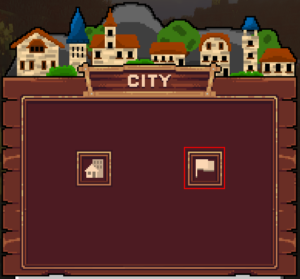
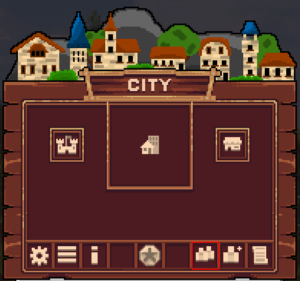
To create your own city use the command [/tm], you will need 5,000 stars to create it. When you enter the command, the following menu opens, here you can find a city on the left or create a new city on the right.
You must then enter the name of your city.
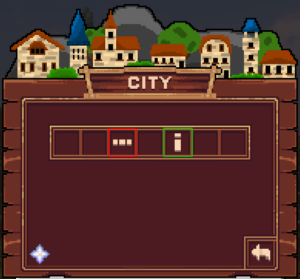
Click on the red framed symbol.
Red
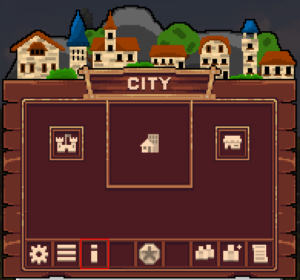
Information on claiming chunks.
Green
Other useful commands.
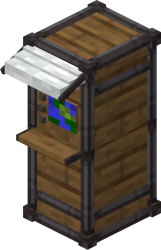
Right-click this block at a railway station and...
... select the ticket you want here. The purchase costs you Stars. Tickets to your city cost 10 Stars and to other cities 20 Stars, with the exception of enemy cities, where purchase and use is prohibited.
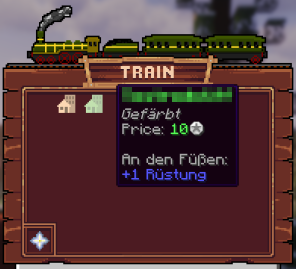
Purchased tickets look like this.
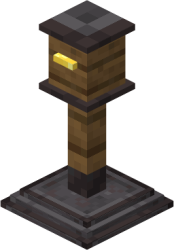
Purchased tickets can be used on this block. To do this, right-click on the block with the ticket in your hand. You will then be teleported to the desired destination.
Players spawn on the city spawn, which can be placed in the home chunk with the command [/t set spawn], which you can implement with [/t set homeblock].
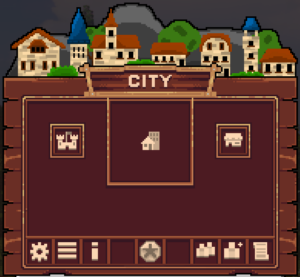
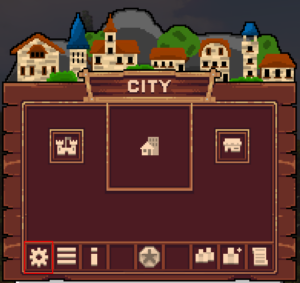
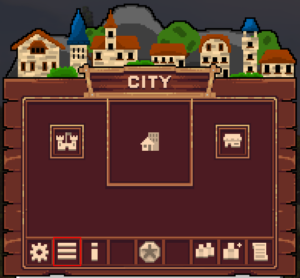
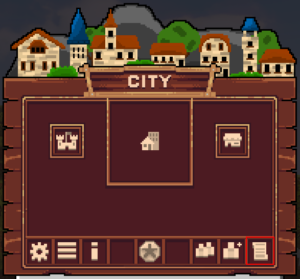
To open the city menu, enter [/tm]. Or press [2x F].
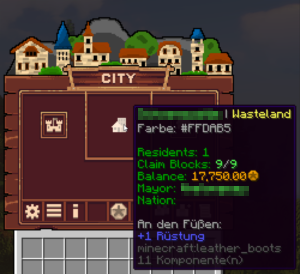
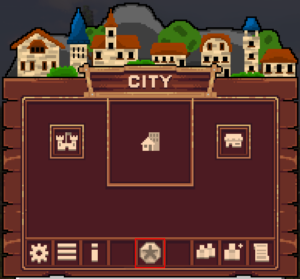
Move the mouse over the city symbol in the centre of the city menu. The following information is displayed here:
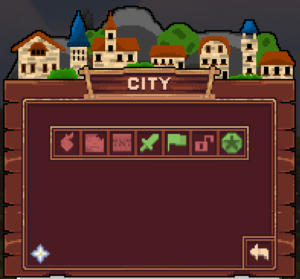
Click on the red framed symbol.
Firespread
Activates/deactivates the spread of fire.
Mob Spawning
Activates/deactivates the spawning of monsters.
Explosion
Activates/deactivates explosions.
PVP
Activates/deactivates PVP.
Public
Enable/Disable
Open
Enable/Disable
Tax Percent
Enable/Disable
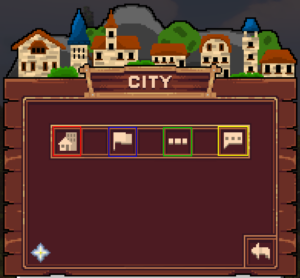
Click on the red framed symbol.
Red
Set personal home.
Blue
Set city home.
Green
Change city name.
Yellow
Customise join message for residents.
Red
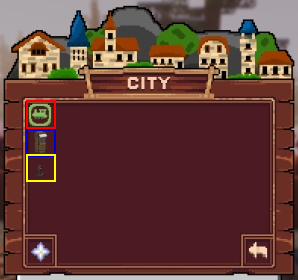
Unlock fast travel station: Click this button to allow players to travel to your city. (Cost: 2,000 Stars)
Blue
Buy ticket machine: Click this button to buy a ticket vending machine, where players can buy tickets. (Cost: 500 Stars)
Yellow
Buy ticket validator: Click on this button to buy a ticket validator where players can use tickets. (Cost: 500 Stars)
Click on the red framed symbol.
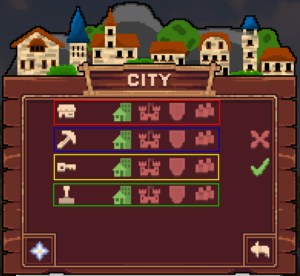
Red
Shop
Blue
Construction/Dismantling
Yellow
TEXT
Green
Use the lever.
There is currently no graphical user interface.
There is currently no graphical user interface.
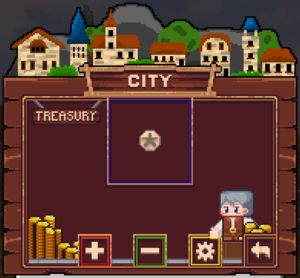
Click on the red framed symbol.
Blue
Shows you the current account balance.
Red
Pay money into the city treasury. Then enter the amount in the chat.
Green
Withdraw money from the city treasury. Then enter the amount in the chat.
Yellow
Set taxes. Then enter the amount in the chat.
There is currently no graphical user interface.
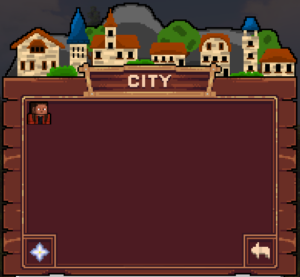
Click on the red framed symbol.
All inhabitants of the city are displayed here.
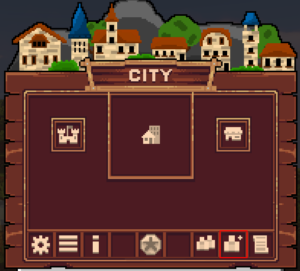
Click on the red framed symbol.
Or enter the following command [/t add NAME]
There is currently no graphical user interface.